At a Glance
Best For
Overview
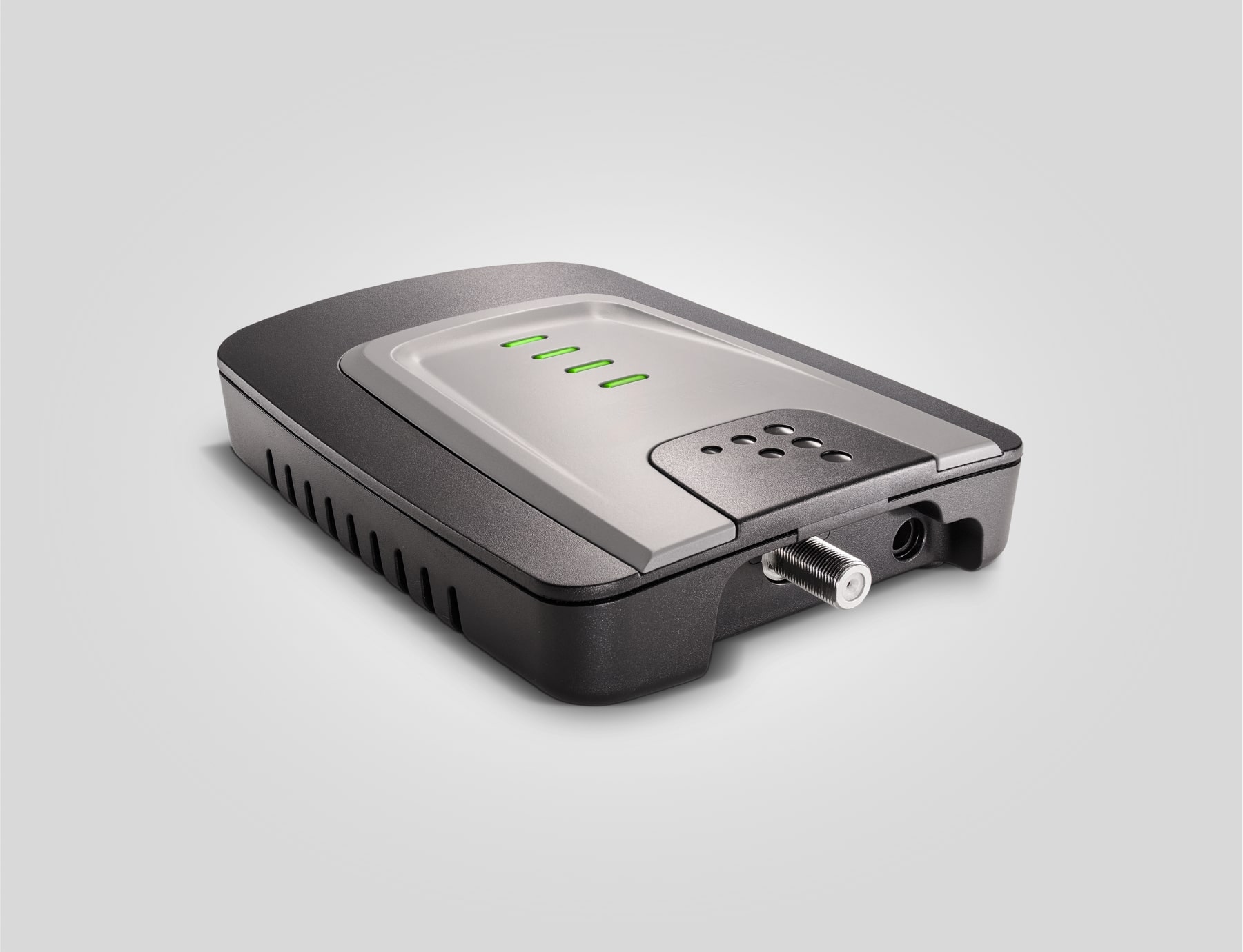
The weBoost Home Studio is the apartment-first cell booster in this lineup because it is small enough to treat as a one-room command-post tool. The right expectation is narrow: keep one phone area usable near the best window, not turn a concrete high-rise into a whole-home coverage zone.
Pros & Cons
Pros
- Most trusted one-room booster in the kit
- Works with major US carriers when outside signal exists
- Keeps one phone station usable during weak-signal outages
- Smaller footprint than whole-home booster kits
- Clear role for apartments: one room by a window
Cons
- Not truly no-drill if the antenna route needs exterior placement
- Only solves weak signal, not a total carrier outage
- Coverage depends heavily on window-side signal strength
- Consumer boosters should be registered with the wireless provider before use
- Single-room coverage is not enough for large condos
weBoost Home Studio Cell Signal Booster
Amazon details may change after publication.
Renter Install Reality
A booster only helps if it can hear signal before it amplifies it. Walk the apartment and find the window with the strongest outdoor-facing signal before buying. If that window is in a bedroom or kitchen, that is where the command post belongs.
The Home Studio is easier to justify than a larger kit, but cable routing can still matter. If the setup requires exterior antenna placement, written permission is the clean answer.
Outage Failure Mode
The Home Studio does not create service when a carrier tower is down. It helps when signal exists outside but is weak inside, or when congestion makes a marginal phone link unusable. That is common in apartments, especially behind concrete and coated glass.
Kit Role
Use it as the phone-preservation layer: one charged phone, one power bank, one window-side signal path. It pairs well with a NOAA radio and GMRS handhelds because each layer covers a different failure.
Registration And Emergency Calls
In the US, consumer signal boosters should be registered with the wireless provider and used with provider consent. Most major carriers support consumer boosters, but the registration step belongs in the plan before storm season, not after the lights go out.
Also keep the apartment address, unit, stairwell, and meetup point in the printed plan. FCC consumer-booster advisories warn that E911 location information can be unavailable or inaccurate for calls served through a booster.
Our Verdict
The Home Studio is the first cell booster most apartment dwellers should consider when one window gets usable signal but the rest of the unit is dead. It is not magic during a total tower outage, and it still needs wireless-provider registration and consent, but it can keep a command-post phone alive long enough to send updates, receive alerts, and coordinate next steps.
weBoost Home Studio Cell Signal Booster
$250
Amazon details may change after publication.
| Full Specifications | |
|---|---|
| Kit Role | cell booster |
| Category | cell-booster |
| Renter Install | window route |
| Building Fit | one room |
| License Required | No |
| Subscription Required | No |
| Subscription/mo | 0$ |
| Max Power | — |
| Channels | — |
| Clear LOS Range | — |
| Coverage | 3000sq ft |
| Battery Life | — |
| Water Resistant | No |
| SOS Button | No |
| Weather Alerts | No |
| All Carriers | Yes |
| 2-Way Messaging | No |
Frequently Asked Questions
Is the weBoost Home Studio a no-drill apartment booster?
Will it work during a total cell outage?
Do I need to register the Home Studio with my carrier?
Related Buying Guides
Compare With Similar Outage Kit Components
Head-to-Head Comparisons
weBoost Home Studio Cell Signal Booster
$250
Amazon details may change after publication.